Agent
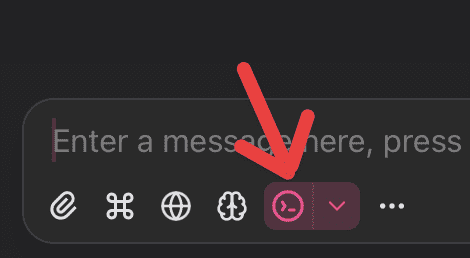
ChatWise v0.10 introduces a preview version of Agent mode, providing the model with 5 built-in tools:
Bash, Write, Read, Edit, AskUserQuestion (to run commands, edit files, and ask structured follow-up questions)
Agent mode will load Agent Skills from ~/.claude/skills and ~/.agents/skills by default.
Agent mode currently disables MCP, Artifacts in this preview release.
In Agent mode the model will automatically choose which tool or skill to use, but you can also type / in the input area to manally select a skill and preload its SKILL.md file.
Work directory

Set a work directory in Agent mode, the model will know the directory you want to work with, and you can use @ to mention files in this directory.
Auto Memory
Since v26.5.0
Agent mode can keep work-directory memory for stable facts that would help future conversations or work with you, such as project knowledge, user preferences, and other long-lived personal context. When you ask ChatWise to remember something, like "always use pnpm, not npm" or "remember that the API tests require a local Redis instance," ChatWise saves it to Auto Memory.
When Agent memory is enabled and a work directory is set, ChatWise uses the memory/ directory under that work directory. Agent memory is disabled by default and does not run when no work directory is set.
At the start of an Agent mode session, ChatWise loads the first 200 lines or 25KB of memory/MEMORY.md, whichever comes first. The agent can update MEMORY.md and linked topic files in memory/ with filesystem tools when a note would help future sessions.
You can turn this on globally in Settings > General.
Web Search & Web Fetch
Agent mode does not enable Web Search & Web Fetch by default, you need to manually enable it:

Subagent
In agent mode, the main agent can spawn subagents to handle complex task like exploring a subject, and return its findings and key points back to the main agent.
By default the main agent can spawn two types of subagents:
general-purpose: Access to all tools, no Skills access.explore: Access to read-only tools, including WebSearch and WebFetch
To trigger a subagent, you can use prompts like:
- Spawn 3 tasks to research Figma, Google Stitch and Framer
- Research [some topic] using subagents
Sandbox
No sandboxing at the moment.