Web Search (Preview)
You can enable web search in ChatWise by clicking this button:
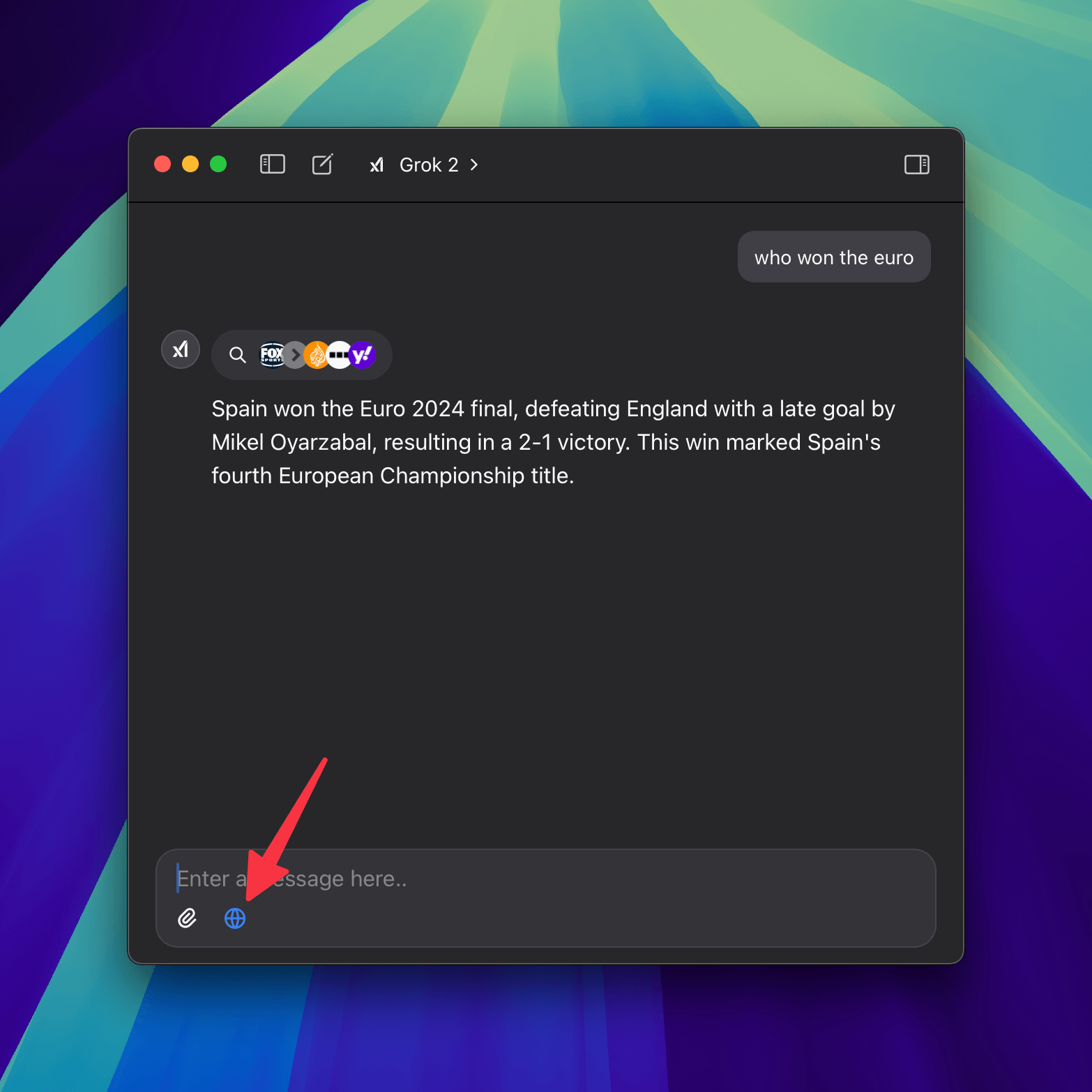
The web search feature is capable of searching the web as well as extracting content from a specific page.
For example you can ask it "who won the euro" or simply "summarize https://example.com/some-page".
Native Search vs ChatWise Search
ChatWise now offers two types of web search:
Native Search
- Available for: Google Gemini models (
googleai-*) and X.AI models (xai-*) - How it works: Uses the AI provider's built-in search capabilities
- Advantages: Faster response times, better integration with the model's knowledge
- Usage: Automatically available when using supported models
Native search is handled entirely by the AI provider and doesn't require any configuration on your part.
ChatWise Search
- Available for: All AI models
- How it works: Uses ChatWise's search extension with various search providers
- Advantages: More control over search providers, works with any model
- Usage: Can be used as fallback or preferred option
You can toggle between these options using the web search popover when both are available.
ChatWise Search Configuration
The following sections apply to ChatWise Search only:
Search engines
Google (free)
This is the default option, ChatWise will scrape the Google search results page locally using your browser, no API key required.
Bing (free)
Like Google (free), but scraping the Bing search results page locally using your browser, no API key required.
Google (API Key)
ChatWise also support Google Custom Search JSON API, you just need to enter your API Key and Search Engine ID.
Tavily
Tavily is a web serivce, you need to get an API key on Tavily and enter it in ChatWise settings.
Ollama Web Search
Ollama Web Search provides a hosted web search API you can call from ChatWise. Generate an API key from Ollama and enter it in the settings.
Brave Search (API)
Get an API from Brave Search (2000 free queries every month) and enter it in ChatWise settings.
Jina AI (API Key)
Get an API Key from Jina AI and enter it in ChatWise settings.
Exa (API Key)
Get an API Key from Exa and enter it in ChatWise settings.
Custom search
Use this provider to implement your own search service, we will send a POST request with the following JSON body to the URL you provided:
{
  "queries": ["query 1", "query 2"],
  "max_results": 10,
  "exclude_domains": ["a.com", "b.com"]
}
And it expects the following response:
{
  "results": [
    {
      "query": "query 1",
      "links": [
        {
          "title": "title 1",
          "url": "url 1",
          "content": "content 1"
        }
      ]
    },
    {
      "query": "query 2",
      "links": [
        {
          "title": "title 1",
          "url": "url 1",
          "content": "content 1"
        }
      ]
    }
  ]
}
Search features
Category
Exclude domains
In the web search settings you can exclude specific domains from search results, this is also supported in the prompt you send to the AI, for example:
Search how to upgrade to TailwindCSS 4, excluding medium.comMax results
In the web search settings you can set the maximum number of search results, this is also supported in the prompt you send to the AI, for example:
Search how to upgrade to TailwindCSS 4, with a maximum of 25 results